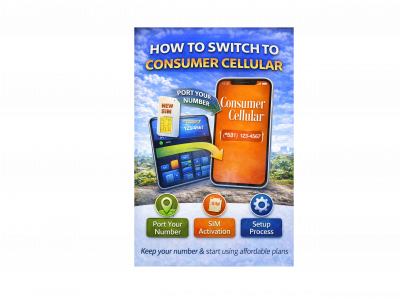
How to Switch to Consumer Cellular
Switching to a new mobile carrier can sometimes feel confusing, especially if you are worried about losing your phone number or dealing with complicated setup steps. Fortunately, moving to Consumer Cellular is designed to be simple and straightforward. The company focuses on easy activation and flexible plans, making the transition smooth for new customers.
Consumer Cellular has become a popular wireless provider in the United States, especially for people looking for affordable phone plans without long-term contracts. If you are considering switching, understanding the process can help you get started quickly and avoid common mistakes.
In this guide, we explain how to switch to Consumer Cellular, including number porting, SIM activation, and device setup.
Porting Your Phone Number
One of the most important steps when changing mobile carriers is keeping your current phone number. Fortunately, Consumer Cellular allows customers to transfer, or “port,” their existing number from another carrier.
To begin the porting process, you will need a few details from your current provider. This usually includes your account number, the account PIN or password, and the phone number you want to transfer.
During the signup process, you simply select the option to keep your current number. Consumer Cellular will then contact your previous carrier to complete the transfer. In most cases, number porting takes only a few hours, although it can sometimes take up to one business day depending on the carrier.
It is important not to cancel your current service before the transfer is complete. Once the number is successfully moved, your old account will usually close automatically.

SIM Card Activation
After selecting your plan and transferring your number, the next step is activating your SIM card. Consumer Cellular typically sends a SIM card kit when you sign up online or purchase service through their website.
Once you receive the SIM card, insert it into your phone and follow the activation instructions provided in the package. You can activate the SIM online, through the Consumer Cellular website, or by contacting customer support.
During Consumer Cellular activation, the system connects your phone to the network and verifies your account details. After activation is completed, your phone should begin receiving signal and network service.
Setup Process
The final step is setting up your phone to work with your new plan. In most cases, modern smartphones automatically configure network settings once the SIM card is installed.
However, you may occasionally need to restart the device or update network settings to ensure proper connectivity. Once the phone connects successfully, you should be able to make calls, send messages, and use mobile data.
Consumer Cellular also offers customer support to assist new users with setup questions. Their support team can guide you through activation, device configuration, and troubleshooting if needed.

Final Thoughts
Switching mobile carriers does not have to be complicated. By following a few simple steps, you can switch to Consumer Cellular and begin using your new plan quickly.
The process typically involves transferring your existing number, completing Consumer Cellular activation, and setting up your device. With affordable plans and an easy setup process, Consumer Cellular remains a convenient option for people looking to change providers without unnecessary hassle.